






What is Core Web Vitals The answer to the question is the three basic performance metrics that Google uses to measure user experience, focusing on loading speed, interactivity and visual stability. These metrics allow you to understand whether your pages are not only fast, but also functional and stable for the user. Analyzing the performance of your website is the first technical step to protect your place in search engines.
What are Core Web Vitals Metrics?
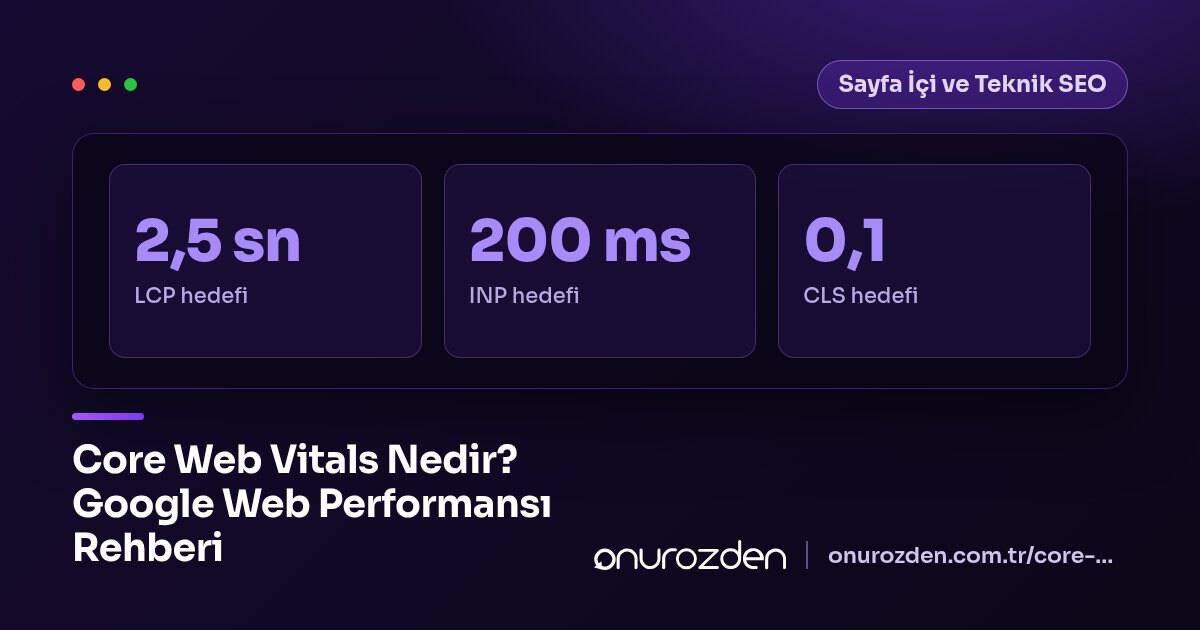
Core Web Vitals are basic criteria that capture the experience users have when visiting a page into numerical data. These metrics help you determine the technical steps you need to take to improve the quality of your site. The table below summarizes key metrics and ideal target values.
| Metric Name | Target Value | Description |
|---|---|---|
| LCP | 2.5 Seconds | Load time for the main content of the page. |
| INP | 200 Milliseconds | Speed of response to user interactions. |
| CLS | Below 0.1 | The visual scrolling rate of page content. |
These values directly affect how search engines perceive your pages. For a successful performance score, it is aimed for all values to remain in the green zone.
What is LCP (Largest Contentful Paint)?
LCP refers to the time it takes for the largest block of image or text on the screen to load after the user clicks on the page. For an ideal user experience, this time should be 2.5 seconds or less. You can follow these steps to improve your LCP value:
- Identify and prioritize the largest image or text element on your page.
- Optimize file sizes of large images and convert them to modern formats.
- Delay unnecessary JavaScript files that prevent the initial page load.
- Professional to optimize server response time server optimisation do it.
- Ensure that data reaches the user from servers closer to the user by using CDN.
What is the Difference Between FID and INP Metrics?
FID measured the difference between the time the user clicked a button and the time the browser responded. Google has now renewed this metric with the more comprehensive INP metric. INP provides a more realistic response time analysis by scanning all interactions on the page. Use these methods to optimize engagement time:
- Break long code tasks into chunks that keep the main thread busy.
- Reduce browser load by minimizing the number of third-party scripts.
- Check response times regularly by monitoring interactions within the page.
- Change the priority order by making non-critical JavaScript files asynchronous.
- Reduce the load on the processor by removing unnecessary animation effects.
How to Measure CLS (Cumulative Layout Shift)?
CLS is a visual stability metric that measures how unexpectedly content shifts while a page is loading. For example, on a news site homepage, an ad that loads at the top and pushes the main content down by 300 pixels causes the CLS score to worsen and leads to accidental user clicks. To ensure visual stability, you should always define width and height attributes.
img { height: auto; width: 100%; aspect-ratio: 16/9; }The code block above prevents content shifts by reserving space for the image before the page loads. It defines the width as a percentage and uses the aspect-ratio property to maintain the image proportions. This prevents text from shifting downward while the page loads. Additionally, setting fixed dimensions for form elements and ad spaces is the most effective method to support visual stability.
How to Check Core Web Vitals Values on Your Site?
To learn the current status of your site, you can use Website Speed Test tools. After entering your site address into the box in the tool, you will be directed to a detailed report screen. You can check your metrics and see improvement suggestions via the Page Speed & Core Web Vitals section in the interface. The warnings in the report clearly show which file is causing performance losses. Follow this checklist to manage the process:
- Regularly review the Google PageSpeed Insights report every month.
- Check the "Core Web Vitals" tab via Google Search Console.
- Visit your site personally from mobile devices to observe the loading moment.
How to Perform Core Web Vitals Optimization?
The optimization process is a combination of technical efforts. The following steps should be implemented to increase overall performance:
- Complete image compression tasks and use modern formats like WebP.
- Activate browser caching rules to speed up repeat visits.
- Reduce browser load by removing unused CSS and JavaScript files from the site.
- Get professional WordPress speed optimisation support for complex websites.
- Simplify database queries to reduce server response time (TTFB).
- Speed up file transfers by using HTTP/2 or HTTP/3 protocols.
Common Mistakes and Solutions
The most common mistakes during optimization are usually caused by simple oversights. Not specifying image dimensions causes the browser to be unable to predict the layout, and this should be resolved by adding height to img tags. Not delaying third-party scripts increases page load; defer or async must be added to script tags. Failing to optimize server response time causes all metrics to be delayed at the start, and this can be quickly overcome with server-side caching.
Improving your website's performance permanently strengthens your search engine visibility. Contact us to strengthen your technical infrastructure and make Core Web Vitals improvements.
Does Core Web Vitals directly affect ranking?
Yes, these metrics are among the Google ranking factors and are a signal that directly affects user experience.
What should I do to improve my LCP score?
You should compress your largest block of content, reduce your server response time, and prioritize image loads.
Why is it important that the CLS value is below 0.1?
This value indicates that your site remains visually stable while loading and prevents the user from accidentally clicking in different places.
Why was the INP metric started to be used instead of FID?
INP provides a more comprehensive interaction experience by measuring all user interactions, whereas FID was only analyzing the first interaction.
Are Core Web Vitals results more important on mobile?
Since Google uses mobile-first indexing, your performance data on mobile devices is the most critical data for search results.