






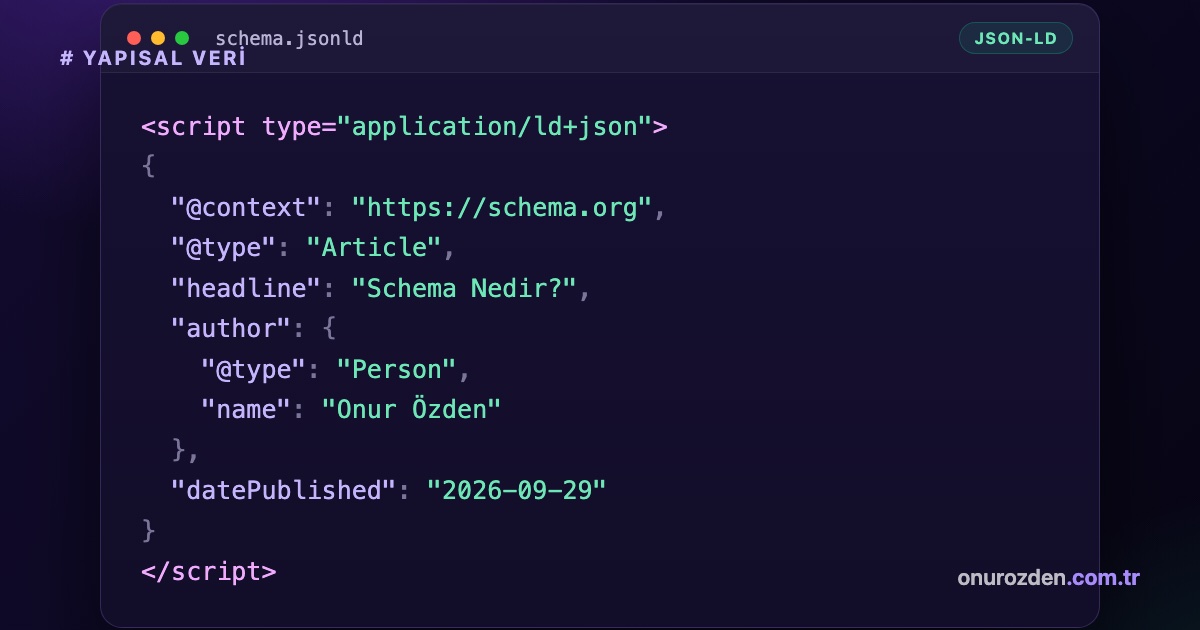
What is Schema? The clearest answer to the question is; They are structured data markup standards that enable search engines to make sense of the content on your website more easily, produce rich results, and allow artificial intelligence engines to extract accurate information from your site. Thanks to these standards, plain text on web pages turns into meaningful data that search engine bots can directly interpret. Each structured data tag you add to your website not only increases your site's visibility in search results, but also directly increases your chances of being cited as a source in new generation artificial intelligence search engines.
What is Schema Structured Data and How Does It Work?
Schema structured data is a system of labeling information on web pages in a common language that search engines can understand. This system allows search engine bots to directly access precise information instead of guessing when crawling page content. For example, let's take a wireless headset product sold on an e-commerce site. When search engine bots crawl a standard page without structured data, they may have a hard time understanding whether the number "599" is a price, quantity in stock, or model number. When Schema markup is applied, this number is directly identified with the price tag. Thus, critical information such as the price of the product, stock status and user rating are shown directly to users in the search results. This significantly increases your click-through rate in search results.
Why is Schema Important for Artificial Intelligence Search Engines?
Artificial intelligence search engines, unlike traditional index crawlers, need schema data much more because they synthesize information directly and present it to the user. Systems such as Perplexity, ChatGPT and Google Gemini consider structurally tagged information as the primary source when retrieving data from websites. Using structured data on your site makes it easier for artificial intelligence engines to understand you correctly and cite direct sources in their answers. This is the most important part of modern search engine optimization. artificial intelligence seo It also forms the basis of its strategies. You can examine the difference of artificial intelligence engines from traditional search engines and their approach to structured data in the table below.
| Feature | Traditional Search Engines | Artificial Intelligence Search Engines (GEO) |
|---|---|---|
| Data Reading Method | Keyword matching and link map | Semantic context and structured data analysis |
| Schema Preference | To produce rich results (Rich Snippets) | For direct response source and information synthesis |
| Citing Behavior | Presents websites as a ranking list | Gives the source link directly in the sentence |
As seen in the table, complete structuring of structured data is critical to be visible in new generation search engines. To get more in-depth information on this subject What Is Perplexity? Why GEO Matters for Businesses You can also review our guide titled.
What are the Most Used Schema Types?
The structured data templates you need to use vary depending on the type of your website and the content you offer. Using the right template on the right page ensures that search engines categorize your site correctly. The five main types of structured data most commonly used are:
- Article Schema: It is used for blog posts, news and guide content. Clarifies information such as author name, publication date and title.
- Product Schema: It is preferred to mark price, stock status, currency and user reviews on e-commerce pages.
- LocalBusiness Scheme: It defines the address, telephone, working hours and location information of businesses with physical stores or offices.
- FAQPage (Frequently Asked Questions) Schema: It allows you to cover a larger area on the SERP by presenting the questions and direct answers on one page to search engines.
- Organization Schema: It is used to introduce your brand's logo, social media accounts and official contact information to search engines.
How to Create Schema in JSON-LD Format Step by Step?
JSON-LD is a JavaScript based structured data format that is most recommended by Google and can be easily placed anywhere in the HTML code. This format runs cleanly in the background without disrupting the page design. Below is an example JSON-LD code block for a local business:
{"@context": "https://schema.org","@type": "LocalBusiness","name": "Onur Özden Web Çözümleri","image": "https://www.onurozden.com.tr/logo.png","telephone": "+905000000000","address": {"@type": "PostalAddress","streetAddress": "Hürriyet Mahallesi No 10","addressLocality": "İzmir","postalCode": "35000","addressCountry": "TR"}}The first line of the code block above indicates that schema.org standards will be used. The LocalBusiness statement in the second line identifies that this schema belongs to a local business. The name line shows the official name of the business, the image line shows the address of the brand logo. While the Telephone field contains the directly searchable phone number, the address block hierarchically presents the official mailing address of the business to search engines.
How to Add Created Schema Codes to the Site?
You can follow different methods to add the JSON-LD codes you created to your website, depending on the infrastructure of your site. On WordPress based sites, this process is carried out quite easily via plugins. In websites with special software, the codes must be integrated directly into the source files. You can complete the code adding process with these three steps:
- Adding to Theme Files: You can place your JSON-LD code between the head tags in your site's header.php file or in the footer.php file.
- Plugin Usage: If you use WordPress, you can create and assign your structured data to pages without needing any coding knowledge through popular optimization plugins such as Rank Math or Yoast SEO.
- Google Tag Manager Integration: If you don't want to add the codes directly to the site source code, you can trigger your schemas by creating a custom HTML tag on Google Tag Manager.
How to Perform Structured Data (Schema) Auditing and Testing?
You should perform regular audits to verify whether the structured data you add to your site is being read correctly by search engines. Codes that are malformed or contain missing parentheses will be ignored by search engines. We have prepared a free document to perform this audit. Structured Data (Schema) Audit You can use the tool. Just enter the address of the page you want to check into our tool or the JSON-LD code you created directly. The validity of the code is analyzed within seconds, and any missing fields and syntax errors are reflected on your screen as a report. When testing your codes, you can follow this three-step checking process:
- Syntax Check: Make sure all curly brackets and commas in the code block are placed correctly.
- Rich Result Compatibility: Check whether the schema is eligible to appear in search results using the Google rich results testing tool.
- Live URL Analysis: Once the page is live, verify via Search Console that search engine bots can crawl the code without errors.
What are the Common Mistakes Made in Schema Applications?
Technical and logical mistakes made when adding structured data can damage the credibility of your site in the eyes of search engines. The most common errors and their solutions are as follows:
- Flag Invisible Content: It is against Google policies to add text hidden with CSS to the schema code that visitors cannot read on the page. As a solution, mark only the information that appears actively on the page.
- Choosing the Wrong Schema Type: Incompatible matches, such as adding a product schema to a blog post, confuse search engines. For the solution, define only the schema appropriate for the purpose of that page for each page type.
- Syntax Errors: A forgotten comma or unclosed curly brace in JSON-LD codes will cause the entire code to be invalid. For the solution, be sure to pass your codes through testing tools before publishing them.
Checklist for Proper Structured Data Setup
Reviewing the technical checklist below before publishing your structured data will prevent possible errors. When you complete these items completely, you will have a healthy integration:
- Make sure that there is no Turkish character problem in JSON-LD codes.
- Check that the schema type you have chosen is included in the current schema.org library.
- Verify that the URL addresses within the schema are not broken and start with the HTTPS protocol.
- Follow the rich results report on Google Search Console regularly.
Strengthening the technical infrastructure of your website and achieving full compatibility with search engines requires a professional approach. Professional support from our expert team to maximize the visibility of your site. artificial intelligence seo you can get the service.
Do Schema codes slow down the website?
No, schema codes in JSON-LD format do not have a negative impact on the loading speed of your website because they are loaded asynchronously.
Does adding Schema definitely produce rich snippets in search results?
Adding structured data greatly increases the likelihood of a rich result, but does not guarantee that it will be shown with certainty; The final decision belongs to the Google algorithms.
Can more than one schema type be used on the same page?
Yes, more than one compatible schema type can be used on a page, such as an Article and FAQPage schema.
Do artificial intelligence search engines other than Google also read schema data?
Yes, AI-based systems like Perplexity and ChatGPT actively read schema data to make sense of and source information on web pages.
Is it mandatory to use a plugin to add schema to WordPress sites?
It is not mandatory; You can also complete the process by manually adding the JSON-LD codes you created to your theme's header or footer files.